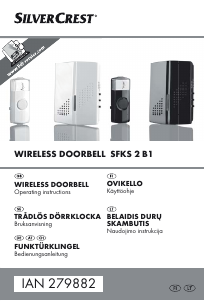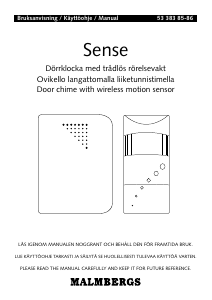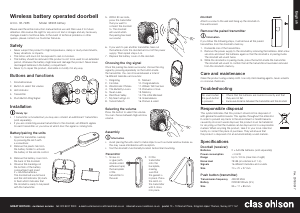
Käyttöohje Friedland D911 Libra+ Ovikello

Tarvitsetko käyttöoppaan Friedland D911 Libra+ Ovikello? Alta voit katsoa ja ladata suomenkielisen PDF-oppaan ilmaiseksi. Tällä tuotteella on tällä hetkellä 0 usein kysyttyä kysymystä, 2 kommenttia ja 0 ääntä. Jos tämä ei ole haluamasi käyttöopas, ota meihin yhteyttä.

Onko tuotteessa vika, eikä käyttöoppaasta ole apua? Siirry Repair Café ‑alueelle etsimään ilmaisia korjauspalveluita.

Käyttöohje

Loading…

5
In addition to the chime sounds, your chime has a
visual indication to show which device has activated it.
An icon will illuminate when the chime is
activated by a bell push or another compatible
device. The chime supports six icons:
The ‘Main door and ‘Back door icons are usually
used for bell pushes. The other icons are intended for
use with other compatible devices, such as PIR
movement detectors and Telephone ring detector.
Icons numbered 1 to 6 are also included. The Icons
are self-adhesive, supplied in strips of 3. They can
be changed, if required, by opening the sliding
window of the chime and gently peeling off the
strips.
If desired, the strips can be cut into individual
icons and fixed to the chime in a different order.
Use the Programming procedure to change the
icon associated with a push.
Use of icons
!
Main
door
Back
door
Alert
symbol
Intruder
Telephone
Pager/
Key fob
Programming procedure
Learn mode
To enable your chime to learn the identity of your
bell push:
¬ Press the button and keep it pressed. Each
Icon will light in turn. When the Icon you want is
lit, release the button.
¬ While the Icon you have selected is lit, operate
your push. The chime will sound. The Icon will flash.
Unlearn procedure
If you want to remove a push from the chime’s
memory:
¬ Press the button and keep it pressed.
Each Icon will light in turn. When the Icon
associated with the push to be un-learnt is
lit, release the button.
¬ Press and hold down both & buttons,
until a ‘beep’ sound is heard.
Changing the tune
Operate the push. While the icon is flashing,
press the button. Press the button again
and the tune will change. Repeat until the
tune you want plays.
Changing the tune
Lataa käyttöohje suomalainen (PDF, 1.64 MB)
(Mieti ympäristöä ja tulosta tämä käyttöopas vain, jos se on todella tarpeen)

Loading…

Arviointi

Kerro meille mielipiteesi Friedland D911 Libra+ Ovikello arvioimalla tuote. Haluatko jakaa tuotekokemuksesi tai kysyä kysymyksen? Jätä kommentti sivun alalaidassa.
Oletko tyytyväinen kohteeseen Friedland D911 Libra+ Ovikello?
Kyllä Ei
Arvostele tuote ensimmäisenä
0 äänet

Keskustele tuotteesta

Täällä voit jakaa mielipiteesi Friedland D911 Libra+ Ovikello:sta. Jos sinulla on kysyttävää, lue ensin huolellisesti käyttöohje. Käsikirjaa voi pyytää yhteydenottolomakkeellamme.

Steve Eaton 31-10-2022
Pidämme tästä kellosta todella paljon, mutta valitettavasti oven työnnät eivät tunnu kestävän, ne vaativat kovemman työnnön toimiakseen, jota monet kävijät eivät käytä. Olen joutunut vaihtamaan oven työntimen tämän ongelman vuoksi ja nyt uusin alkaa pettää.

vastaa | Tästä oli apual (0) (Googlen kääntämä)
Ria Weise 13-11-2025
miten ilmaistaan, että kelloa pitää ladata/

vastaa | Tästä oli apual (0) (Googlen kääntämä)

Lisää tästä ohjekirjasta

Ymmärrämme, että on mukavaa, että sinulla on paperikäyttöinen käyttöopas laitteellesi Friedland D911 Libra+ Ovikello. Voit aina ladata oppaan verkkosivuiltamme ja tulostaa sen itse. Jos haluat alkuperäisen käyttöoppaan, suosittelemme ottamaan yhteyttä osoitteeseen Friedland. He saattavat pystyä toimittamaan alkuperäisen ohjekirjan. Etsitkö laitteen Friedland D911 Libra+ Ovikello käyttöopasta toisella kielellä? Valitse haluamasi kieli kotisivuiltamme ja etsi mallinumero nähdäksesi, onko sitä saatavilla.

Tekniset tiedot

Tuotemerkki Friedland
Malli D911 Libra+
Kategoria Ovikellot
Tiedostotyyppi PDF
Tiedoston koko 1.64 MB

Kaikki käsikirjat kohteelle Friedland Ovikellot
Lisää Ovikellot käsikirjoja
Käyttöohje Friedland D911 Libra+ Ovikello

Liittyvät tuotteet

Aiheeseen liittyvät luokat

×
Download