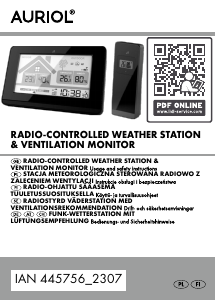
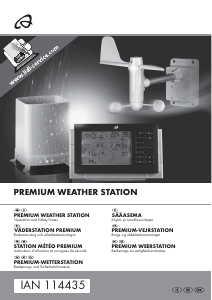
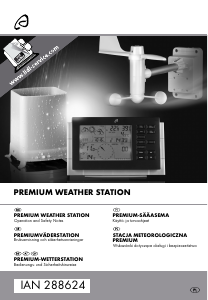
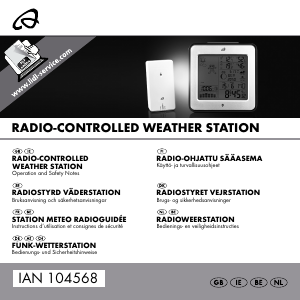
Käyttöohje Auriol IAN 61430 Sääasema

Tarvitsetko käyttöoppaan Auriol IAN 61430 Sääasema? Alta voit katsoa ja ladata suomenkielisen PDF-oppaan ilmaiseksi. Tällä tuotteella on tällä hetkellä 6 usein kysyttyä kysymystä, 0 kommenttia ja 0 ääntä. Jos tämä ei ole haluamasi käyttöopas, ota meihin yhteyttä.

Onko tuotteessa vika, eikä käyttöoppaasta ole apua? Siirry Repair Café ‑alueelle etsimään ilmaisia korjauspalveluita.

Käyttöohje

Loading…


-
4
-
Selecting your location
Press CITY- the city display will blink and the
latitude and longitude will be displayed. Press "+"
or "-" to select your location. Press CITY to
confirm your selection. If the abbreviation for you
city does not appear, your location can be set
manually (See "Manually setting your location").
After a short calculation period the weather station
will show the sunrise and sunset times, the moon
phase and neap tide (TIDE LO), medium water
level (TIDE MID) or spring tide (TIDE HI).
Manually setting your location
Press and hold CITY. The cities display shows
"-- -- --". Press "+" or "-" to select the first letters
of your location. Press CITY to confirm your
selection. Set letters 2 and 3 of your location in
the same way.
On the display GMT appears and the time zone
indicator flashes. Set the difference of your time
zone to GMT (Greenwich Mean Time) by pressing
UP and DOWN (For the UK set 0:00).
Press CITY to confirm your selection. Now set the
longitude and latitude of your location in the same
way.
A table with the longitudes and latitudes for some
cities can be found at the end of these operating
instructions.
After a short calculation time the weather station
displays the times for sunrise and sunset and the
moon phase as well as neap tide (TIDE LO),
mean water level (TIDE MID) or spring tide (TIDE
HI).
Outdoor sensor channel selection
Press "CH" on the back side of the weather
station to select channel 1, 2 or 3. If the symbol
appears, the temperature and humidity of the
3 outdoor sensors will alternate on the display.
Press and hold "CH" to restart the outdoor
temperature and humidity reception process.
Additional information for the
outside sensor
Please position your sensor in a covered location
and make sure that the sensor does not get wet
and is not exposed to direct sunlight. To
guarantee optimal radio transmission, position the
station and sensor so that as few obstacles as
possible (walls, metallic components) interfere
with reception.
Sources of electrical interference can also be
detrimental to reception.
Temperature and frost alarms
Setting the temperature alarm
Press "CH" to select the outdoor sensor. Press
and hold "-" to set the alarm temperature. The
outdoor temperature will blink.
Press "+" or "-" to set the maximum value for the
temperature alarm. Confirm your setting by
pressing MODE. Press "+" or "-" to set the
minimum value for the temperature alarm.
Confirm your setting by pressing MODE.
Activating/deactivating the temperature and
frost alarms
The temperature and frost alarms can be
activated or deactivated by repeatedly
pressing "-".
If the frost alarm is activated the symbol will
appear next to the outdoor temperature. The
alarm will sound at the set temperature.
If the temperature alarm is activated the
symbol will appear next to the outdoor
temperature. The alarm will sound at the set
temperature.
If both frost and temperature alarms are activated
then both symbols will appear.

-
5
-
Disposal
Disposal of the electronic appliance
This electronic appliance may not be
disposed of with normal household waste.
Dispose of the unit at an approved disposal
facility or at your local recycling centre.
Please observe the current rules and
regulations when disposing of the
appliance. Contact the disposal system if in
doubt.
Disposal of the batteries
Please dispose of your batteries properly in
containers especially set up at retailers.
Batteries do not belong in household waste.
Dispose of the batteries at an approved
disposal facility or at your local recycling
centre. Contact the disposal system if in
doubt.
Technical data
Weather station
Operating temperature : 0°C – +55°C
Dimensions: 12,6 x 12,5 x 5,6 cm
Display of the weather station: 8,0 x 8,0 cm
Weight: 299g
Batteries: 3 x 1,5V AA
Sensor
Operating temperature: -20°C – +65°C
Dimensions: 4,9 x 9,6 x 3,3 cm
Weight: 75g
Batteries: 2 x 1,5V AA
Declaration of conformity
If used as intended this product conforms to the
basic standards of § 3 and the other relevant
provisions of the FTEG (Section 3 of the R&TTE
directive).
The declaration of conformity can be requested
here: conformity@digi-tech-gmbh.com
Warranty
We provide a 3-year warranty for this item. The
warranty period starts from the date of sale
(receipt, proof of purchase). Within this period we
rectify all faults which are attributable to material
and manufacturing defects at no cost. For
damage which is caused by improper treatment,
e.g. dropping, knocking, or water damage, there is
no warranty claim.
Order service
You can add up to 3 outside sensors to your
temperature station. One sensor is included in the
purchase.
Additional outside sensors can be ordered by fax
+49(0)6198-5770-99 or online at www.inter-
quartz.de.
The price for one sensor is EUR 5.00 and for 2
sensors EUR 10.00 including operating
instructions and packaging, excluding VAT and
despatch.
Lataa käyttöohje suomalainen (PDF, 0.59 MB)
(Mieti ympäristöä ja tulosta tämä käyttöopas vain, jos se on todella tarpeen)

Loading…

Arviointi

Kerro meille mielipiteesi Auriol IAN 61430 Sääasema arvioimalla tuote. Haluatko jakaa tuotekokemuksesi tai kysyä kysymyksen? Jätä kommentti sivun alalaidassa.
Oletko tyytyväinen kohteeseen Auriol IAN 61430 Sääasema?
Kyllä Ei
Arvostele tuote ensimmäisenä
0 äänet

Keskustele tuotteesta

Täällä voit jakaa mielipiteesi Auriol IAN 61430 Sääasema:sta. Jos sinulla on kysyttävää, lue ensin huolellisesti käyttöohje. Käsikirjaa voi pyytää yhteydenottolomakkeellamme.

Lisää tästä ohjekirjasta

Ymmärrämme, että on mukavaa, että sinulla on paperikäyttöinen käyttöopas laitteellesi Auriol IAN 61430 Sääasema. Voit aina ladata oppaan verkkosivuiltamme ja tulostaa sen itse. Jos haluat alkuperäisen käyttöoppaan, suosittelemme ottamaan yhteyttä osoitteeseen Auriol. He saattavat pystyä toimittamaan alkuperäisen ohjekirjan. Etsitkö laitteen Auriol IAN 61430 Sääasema käyttöopasta toisella kielellä? Valitse haluamasi kieli kotisivuiltamme ja etsi mallinumero nähdäksesi, onko sitä saatavilla.

Tekniset tiedot

Tuotemerkki Auriol
Malli IAN 61430
Kategoria Sääasemat
Tiedostotyyppi PDF
Tiedoston koko 0.59 MB

Kaikki käsikirjat kohteelle Auriol Sääasemat
Lisää Sääasemat käsikirjoja

Usein kysytyt kysymykset kohteesta Auriol IAN 61430 Sääasema

Tukitiimimme etsii hyödyllisiä tuotetietoja ja vastaa yleisiin kysymyksiin. Jos huomaat yleisissä kysymyksissä virheen, kerro siitä meille yhteydenottolomakkeella.

Sääasemani ennusti, että alkaisi sataa, mutta niin ei käynyt. Mistä se johtuu? Todennettu

Sääaseman ennustus perustuu ilmanpaineeseen. Yleensä matalapaine merkitsee huonoa säätä ja korkeapaine hyvää säätä. On mahdollista, että sääolot kehittyivät eri tavalla kuin ilmanpaine ennusti.

Tästä oli apual (1466) Lue lisää

Mikä on Auriol-tuotteeni mallinumero? Todennettu

Vaikka joillakin Auriol-tuotteilla on vaihtoehtoinen mallinumero, kaikilla on IAN-numero, jolla tuote voidaan tunnistaa.

Tästä oli apual (700) Lue lisää

Mikä on paras sääaseman ja sen antureiden sijainti? Todennettu

Itse sääasema on sijoitettu sisälle, ja se on pidettävä poissa lämmönlähteistä, kuten keittiöstä, ikkunoista tai sähkölaitteista. Erillinen ulkolämpötila-anturi on sijoitettava varjoon ja vähintään 1,25 m maanpinnan yläpuolelle. Sadetunnistin on sijoitettava avoimelle alueelle, jossa se voi aina kerätä sadetta. Tuulianturi on sijoitettava myös avoimelle alueelle, tuulen mahdollisten esteiden kanssa.

Tästä oli apual (393) Lue lisää

Sääasemallani on sademittari, voiko se mitata myös lumisateen määrän? Todennettu

Jotkut sademittarit on varustettu lämmityselementillä, joka saa lumen sulamaan ja mahdollistaa sen mittaamisen. Ilman lämmityselementtiä sademittari tukkeutuu eikä mittausta voida suorittaa.

Tästä oli apual (279) Lue lisää

Voinko jättää vaihdettavan akun laitteeseen pitkäksi aikaa? Todennettu

Vaihdettavat paristot voivat olla laitteessa pitkään, jos laitetta käytetään. Kun laitetta säilytetään pitkään, on suositeltavaa poistaa paristot hapettumisen estämiseksi.

Tästä oli apual (279) Lue lisää

Laitteeni akku on hapetettu, voinko silti käyttää sitä turvallisesti? Todennettu

Ja, laitetta voidaan silti käyttää turvallisesti. Poista ensin oxidizd-paristo. Älä koskaan käytä tätä paljain käsin. Puhdista sitten paristolokero etikkaan tai sitruunamehuun kastetulla vanupuikolla. Anna sen kuivua ja aseta uudet paristot.

Tästä oli apual (278) Lue lisää
Käyttöohje Auriol IAN 61430 Sääasema

Liittyvät tuotteet

Aiheeseen liittyvät luokat

×
Download