
WWW.Q-CONNECT.COM
2
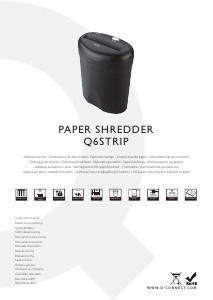
USER MANUAL FOR THE Q6STRIP
Q-CONNECT SHREDDER
IMPORTANT!
READ ALL INSTRUCTIONS BEFORE USING
Thank you for purchasing the Q6STRIP Paper Shredder. This product
is designed to shred paper and small staples. It is does not shred pa-
perclips, adhesive labels, self-seal envelopes, transparencies, fabrics,
glossy paper, newspaper, plastic, cardboard or continuous forms.
Please note that using it for these purposes is likely to cause dam-
age and will invalidate your warranty. This paper shredder is not de-
signed to shred large volumes so please refer to the recommended
usage capacity quoted below. You may nd paper particles in the
bin when rst opening the shredder this is a result of QC testing
procedures.
Recommended Daily Usage = 25 passes per day. (2 minutes on/ 20
minutes off)
SAFETY INSTRUCTIONS
1. Before use inspect the shredder, mains cable and plug for
damage or defects.
2. Locate the shredder away from heat and water sources.
3. Ensure switch is set to ‘o’ before connecting to the mains.
4. Always keep ties, loose clothing, jewelry and long hair away
from the shredder.
5. Keep children and pets away from the shredder.
6. Disconnect from the mains when not in use or when emptying
or cleaning.
7. Do not insert ngers or objects into the shredder at any time.
8. Never attempt to dismantle the shredder for any reason, please
return to an authorized service agent for repair or servicing.
9. Never dispose of ammable chemicals or materials that have
come into contact with ammable chemicals (For example nail
polish, acetone and petroleum) in the shredder basket. Never
use ammable oils, petroleum based products or ammable
aerosols of any kind in the vicinity of the machine.
OPERATIONAL INSTRUCTIONS
1. Remove all packaging and install the shredder unit on top of the
waste bin ensuring it locates rmly in position.
2. Set the switch to ‘Auto’ so the shredder is in stand–by mode.
3. The shredder will start automatically when paper is fed into the
paper entry slot.
4. Ensure paper entry is straight so to avoid curling as it enters the
shredder.
5. Do not enter more sheets of paper than stated on the shredder
at one time.
Sheet capacity is based on a paper thickness of 75gsm.
The presence of staples will reduce the maximum sheet capacity.
Shredding capacity is also aected by temperature and humidity.
6. Do not operate continuously for more than 2 minutes
7. Prolonged shredding will cause the unit to overheat and shut
down. This is not a fault and indicates the unit has reached its
maximum temperature tolerance, turn the unit o at the mains
and allow it to cool down for 60 minutes before resuming nor-
mal operation.
8. If the amount of paper inserted is too much or is not fed in
t
straight then the shredding speed will slow or even stop. If this
happens stop shredding and use the reverse function to clear
the jam ensuring the waste basket is not full.
MAINTENANCE
1. Empty the waste basket frequently
2. It is not necessary to oil an Q-CONNECT shredder; however do-
ing so may extend the life of your shredder. Use a non aerosol,
non ammable vegetable based oil with a long delivery nozzle.
FAQ & TROUBLESHOOTING
If you experience problems with your shredder please try some of
the solutions below, under no circumstance should you attempt to
open the shredder unit, this will expose you to a risk of electric shock
and will invalidate your warranty.
PROBLEM 1 – THE SHREDDER FAILS TO OPERATE
Is the shredder connected at the mains and is the power turned
on?
Is the shredder switch set to ‘auto’?
Is enough paper being inserted into the machine? - (Very thin or
damp paper will cause the auto switch to not operate)
Has the shredder over heated? – (Turn o at the mains and leave to
cool down for 60 minutes then try again.)
Has the shredder blown a fuse? – (Turn o at the mains and try re-
placing the fuse in the mains plug.)
PROBLEM 2 – THE SHREDDER WILL NOT STOP WORKING
If the shredder continues to work after a shredding cycle and does
not stop then this is either;
1. The waste basket is full. You should empty the basket or com-
pact the shredded paper.
2. Some paper is blocking the auto sensor, try clearing it by revers-
ing and then returning the switch to auto or by shredding some
more paper.
3. Glue from envelopes or label’s is making the sensor lever stick.
Place a few drops of vegetable oil on a piece of paper and insert
into the shredder. Repeat 2 more times if required.
PROBLEM 3 – THE SHREDDER HAS JAMMED WHILST
SHREDDING
Empty the waste bin and try reversing the unit to clear the jam.
If this does not work disconnect power, trim o paper above and
below the jam, reconnect power and try alternating between re-
verse and auto until the jam clears.
If at any point the shredder stops working during this process it has
probably over heated and will need to cool down for 60 minutes.
Please be careful not to exceed the maximum paper capacity and
feed the paper in straight, please be aware damage caused to the
shredder by inserting too much paper or by failing to shred using
a straight paper path is classed as misuse and invalidates your war-
ranty.
NEVER ATTEMPT TO CLEAR PAPER JAMS BY INSERTING
IMPLEMENTS INTO THE SHREDDER OR BY OPENING THE
UNIT.


Keskustele tuotteesta
Täällä voit jakaa mielipiteesi Q-CONNECT Q6STRIP Paperisilppuri:sta. Jos sinulla on kysyttävää, lue ensin huolellisesti käyttöohje. Käsikirjaa voi pyytää yhteydenottolomakkeellamme.