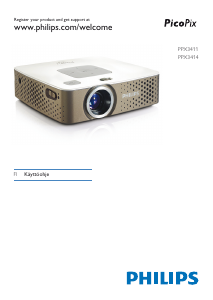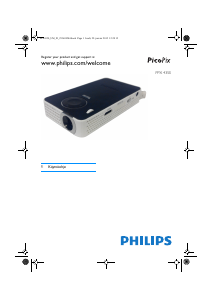
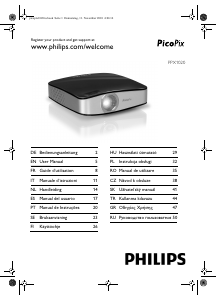
Käyttöohje Philips PPX1020 PicoPix Projektori

Tarvitsetko käyttöoppaan Philips PPX1020 PicoPix Projektori? Alta voit katsoa ja ladata suomenkielisen PDF-oppaan ilmaiseksi. Tällä tuotteella on tällä hetkellä 3 usein kysyttyä kysymystä, 1 kommentti ja sillä on 1 ääni ja tuotteen keskimääräinen arvio on 0/100. Jos tämä ei ole haluamasi käyttöopas, ota meihin yhteyttä.

Onko tuotteessa vika, eikä käyttöoppaasta ole apua? Siirry Repair Café ‑alueelle etsimään ilmaisia korjauspalveluita.

Käyttöohje

Loading…
Overview · Dear Customer 5
EN
1Overview
Dear Customer
Thank you for purchasing our Pocket Projector.
We hope you enjoy your device and its many functions!
General Safety Information
Introduction 2
Do not make any changes or settings that are not
described in this user manual. Physical injury or damage
to the device or loss of data can result from improper
handling. Take note of all warning and safety notes indi-
cated.
Setting Up the Device
Protect the device against direct sunlight
Protect the device against direct sunlight, heat, large
temperature fluctuations and moisture. Do not place
the device in the vicinity of heaters or air conditioners.
Observe the information on temperature and humidity
in the technical data.
In the event that the device becomes too hot, or if you see smoke coming from the device (USB)
In the event that the device becomes too hot, or if you
see smoke coming from the device, you must immedi-
ately disconnect the device from the USB socket. Have
your device examined by trained professionals at a tech-
nical service location. To prevent the spread of fire,
open flames should be kept away from the device.
Do not plug in the device in moist rooms.
Do not plug in the device in moist rooms. Never touch
the mains cable or the mains connection with wet
hands.
Moisture build-up
Under the following conditions, a layer of moisture can
appear inside the device which can lead to malfunctions:
· if the device is moved from a cold to a warm area;
· after a cold room is heated;
· when this device is placed in a damp room.
Proceed as follows to avoid any moisture build-up:
1 Seal this device in a plastic bag before moving it to
another room, in order for it to adapt to room con-
ditions.
2 Wait one to two hours before you take the device
out of the plastic bag.
The device should not be used in a very dusty environment.
The device should not be used in a very dusty environ-
ment. Dust particles and other foreign objects may
damage the unit.
Do not expose the device to extreme vibrations
Do not expose the device to extreme vibrations. It may
damage the internal components.
Do not allow children to handle the device without supervision.
Do not allow children to handle the device without
supervision. The packing materials should be kept out of
the hands of children.
Repairs
Repairs
Do not make any repairs to the device yourself.
Improper maintenance can result in injuries or damage
to the device. Only have your device repaired by an
authorised service centre.
Do not remove the type label from your device; this
would void the warranty.
High Power LED
This device is equipped with an high power LED (Light
Emitting Diode), which emits very bright light. Do not
stare directly into the projector lens to avoid eyes
injury or irritations.
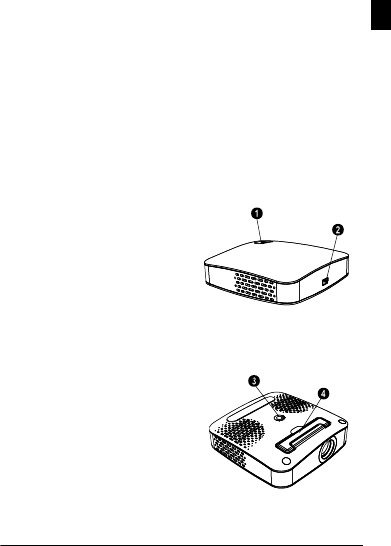
Top of the Device
Focus setting
ƒ Mini USB connection
PicoPix P1 oben
Bottom of the Device
Tripod socket
Fold-out base
PicoPix P1 unten
ppx1020_manual_02_en_253345797-a.book Seite 5 Freitag, 17. September 2010 12:54 12
Lataa käyttöohje suomalainen (PDF, 6.67 MB)
(Mieti ympäristöä ja tulosta tämä käyttöopas vain, jos se on todella tarpeen)

Loading…

Arviointi

Kerro meille mielipiteesi Philips PPX1020 PicoPix Projektori arvioimalla tuote. Haluatko jakaa tuotekokemuksesi tai kysyä kysymyksen? Jätä kommentti sivun alalaidassa.
Oletko tyytyväinen kohteeseen Philips PPX1020 PicoPix Projektori?
Kyllä Ei
0%
100%
1 ääni

Keskustele tuotteesta

Täällä voit jakaa mielipiteesi Philips PPX1020 PicoPix Projektori:sta. Jos sinulla on kysyttävää, lue ensin huolellisesti käyttöohje. Käsikirjaa voi pyytää yhteydenottolomakkeellamme.

Gwenva Courtay 26-12-2020
kuinka käynnistää projektori uusilla tietokoneilla? koska PicoPix 1020 -kansio on tyhjä

vastaa | Tästä oli apual (0) (Googlen kääntämä)

Lisää tästä ohjekirjasta

Ymmärrämme, että on mukavaa, että sinulla on paperikäyttöinen käyttöopas laitteellesi Philips PPX1020 PicoPix Projektori. Voit aina ladata oppaan verkkosivuiltamme ja tulostaa sen itse. Jos haluat alkuperäisen käyttöoppaan, suosittelemme ottamaan yhteyttä osoitteeseen Philips. He saattavat pystyä toimittamaan alkuperäisen ohjekirjan. Etsitkö laitteen Philips PPX1020 PicoPix Projektori käyttöopasta toisella kielellä? Valitse haluamasi kieli kotisivuiltamme ja etsi mallinumero nähdäksesi, onko sitä saatavilla.

Tekniset tiedot

Tuotemerkki Philips
Malli PPX1020 PicoPix
Kategoria Projektorit
Tiedostotyyppi PDF
Tiedoston koko 6.67 MB

Kaikki käsikirjat kohteelle Philips Projektorit
Lisää Projektorit käsikirjoja

Usein kysytyt kysymykset kohteesta Philips PPX1020 PicoPix Projektori

Tukitiimimme etsii hyödyllisiä tuotetietoja ja vastaa yleisiin kysymyksiin. Jos huomaat yleisissä kysymyksissä virheen, kerro siitä meille yhteydenottolomakkeella.

Voiko projektorin sammuttaa heti käytön jälkeen? Todennettu

Projektorin lamppu on hyvin kuuma vielä käytön päätyttyä. Projektori kannattaa jättää päälle joksikin aikaa käytön jälkeen, jolloin sen tuuletin ehtii jäähdyttää lampun. Tämä pidentää lampun käyttöikää.

Tästä oli apual (215) Lue lisää

Mikä on trapetsikorjaus? Todennettu

Projektoria ei usein voida sijoittaa suoraan näytön tai seinän eteen. Heijastettu kuva voi vääristyä tämän vuoksi. Tämä on avainkivivaikutus. Trapetsikorjaus on ominaisuus, joka korjaa tämän vääristymän. Kaikki projektorit eivät tarjoa trapetsikorjausta.

Tästä oli apual (159) Lue lisää

Mikä on kontrastisuhde? Todennettu

Kontrastisuhde kertoo, kuinka kaukana valkoisin valkoinen on mustimmasta mustasta. Esimerkiksi 400: 1: n kontrastisuhde tarkoittaa, että mustin musta näytöllä on 400 kertaa tummempi kuin valkoisin valkoinen. Suuri kontrastisuhde vaikuttaa kuvan terävyyteen.

Tästä oli apual (105) Lue lisää
Käyttöohje Philips PPX1020 PicoPix Projektori

Liittyvät tuotteet

Aiheeseen liittyvät luokat

×
Download