Käyttöohje Panasonic SC-UX102E Stereosetti

Tarvitsetko käyttöoppaan Panasonic SC-UX102E Stereosetti? Alta voit katsoa ja ladata suomenkielisen PDF-oppaan ilmaiseksi. Tällä tuotteella on tällä hetkellä 0 usein kysyttyä kysymystä, 2 kommenttia ja 0 ääntä. Jos tämä ei ole haluamasi käyttöopas, ota meihin yhteyttä.

Onko tuotteessa vika, eikä käyttöoppaasta ole apua? Siirry Repair Café ‑alueelle etsimään ilmaisia korjauspalveluita.

Käyttöohje

Loading…

9
TQBJ0976
9
Note on disc
This system can play CD-R/RW with CD-DA or MP3
format content.
Before playback, finalise the disc on the device it was
recorded on.
Some CD-R/RW cannot be played because of the
condition of the recording.
Note on USB device
This system does not guarantee connection with all
USB devices.
This system supports USB 2.0 full speed.
This system can support USB devices of up to 32 GB.
Only FAT 12/16/32 file system is supported.
Note on MP3 file
Files are defined as tracks and folders are defined as
albums.
Tracks must have the extension “.mp3” or “.MP3”.
Tracks will not necessarily be played in the order you
recorded them.
Some files can fail to work because of the sector size.
MP3 file on disc
This system can access up to:
255 albums (including root folder)
–999 tracks
20 sessions
Disc must conform to ISO9660 level 1 or 2 (except for
extended formats).
MP3 file on USB device
This system can access up to:
800 albums (including root folder)
8000 tracks
999 tracks in one album
Radio
Preparation
Press [RADIO/AUX] to select “FM”.
Manual tuning
1 Press [PLAY MENU] to select “TUNE MODE”.
2 Press [R, T] to select “MANUAL” and then press
[OK].
3 Press [2/3] or [5/6] to tune in to the
station.
To tune automatically, press and hold the button until
the frequency starts changing quickly.
“STEREO” is shown when a stereo broadcast is being
received.
Using the main unit
1 Press [8] to select “MANUAL”.
2 Press [2/3] or [5/6] to tune in to the
station.
Memory presetting
You can preset up to 30 FM stations.
Automatic presetting
1 Press [PLAY MENU] to select “A.PRESET”.
2 Press [R, T] to select “LOWEST” or “CURRENT”
and then press [OK].
The tuner presets all the stations it can receive into
the channels in ascending order.
To cancel, press [8].
Manual presetting
1 Press [PLAY MENU] to select “TUNE MODE”.
2 Press [R, T] to select “MANUAL” and then press
[OK].
3 Press [2/3] or [5/6] to tune in to the
station.
4 Press [OK].
5 Press [R, T] to select a preset number and then
press [OK].
Do steps 3 through 5 again to preset more stations.
The new station replaces any station that occupies
the same preset number.
LOWEST Tuning begins from the lowest
frequency.
CURRENT Tuning begins from the current
frequency.
ENGLISH
SC-UX102.100 E TQBJ0976 (01) En.fm Page 9 Tuesday, September 13, 2016 10:30 AM
Lataa käyttöohje suomalainen (PDF, 7.82 MB)
(Mieti ympäristöä ja tulosta tämä käyttöopas vain, jos se on todella tarpeen)

Loading…

Arviointi

Kerro meille mielipiteesi Panasonic SC-UX102E Stereosetti arvioimalla tuote. Haluatko jakaa tuotekokemuksesi tai kysyä kysymyksen? Jätä kommentti sivun alalaidassa.
Oletko tyytyväinen kohteeseen Panasonic SC-UX102E Stereosetti?
Kyllä Ei
Arvostele tuote ensimmäisenä
0 äänet

Keskustele tuotteesta

Täällä voit jakaa mielipiteesi Panasonic SC-UX102E Stereosetti:sta. Jos sinulla on kysyttävää, lue ensin huolellisesti käyttöohje. Käsikirjaa voi pyytää yhteydenottolomakkeellamme.

Tiozzo Michele 08-05-2022
Tuotteesta ei mitään sanottavaa. On kuitenkin epäselvää, että ohjeista ei ole jälkeäkään (erittäin vähän triviaaleja ohjeita) ja ennen kaikkea italiaksi. Kauhea! [email protected]

vastaa | Tästä oli apual (0) (Googlen kääntämä)
Cristiano Lucchi 10-01-2024
Kuinka sammutan näytön, kun soitin on pois päältä?

vastaa | Tästä oli apual (0) (Googlen kääntämä)

Lisää tästä ohjekirjasta

Ymmärrämme, että on mukavaa, että sinulla on paperikäyttöinen käyttöopas laitteellesi Panasonic SC-UX102E Stereosetti. Voit aina ladata oppaan verkkosivuiltamme ja tulostaa sen itse. Jos haluat alkuperäisen käyttöoppaan, suosittelemme ottamaan yhteyttä osoitteeseen Panasonic. He saattavat pystyä toimittamaan alkuperäisen ohjekirjan. Etsitkö laitteen Panasonic SC-UX102E Stereosetti käyttöopasta toisella kielellä? Valitse haluamasi kieli kotisivuiltamme ja etsi mallinumero nähdäksesi, onko sitä saatavilla.

Tekniset tiedot

Tuotemerkki Panasonic
Malli SC-UX102E
Kategoria Stereosetit
Tiedostotyyppi PDF
Tiedoston koko 7.82 MB

Kaikki käsikirjat kohteelle Panasonic Stereosetit
Lisää Stereosetit käsikirjoja
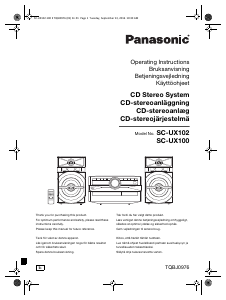
Käyttöohje Panasonic SC-UX102E Stereosetti

Liittyvät tuotteet

Aiheeseen liittyvät luokat

×
Download