Käyttöohje JBL Control X Wireless Kaiutin

Tarvitsetko käyttöoppaan JBL Control X Wireless Kaiutin? Alta voit katsoa ja ladata suomenkielisen PDF-oppaan ilmaiseksi. Tällä tuotteella on tällä hetkellä 5 usein kysyttyä kysymystä, 1 kommentti ja 5 ääniä, joiden keskimääräinen tuotearvio on 60/100. Jos tämä ei ole haluamasi käyttöopas, ota meihin yhteyttä.

Onko tuotteessa vika, eikä käyttöoppaasta ole apua? Siirry Repair Café ‑alueelle etsimään ilmaisia korjauspalveluita.

Käyttöohje

Loading…
3
www.jbl.com
ENGLISH
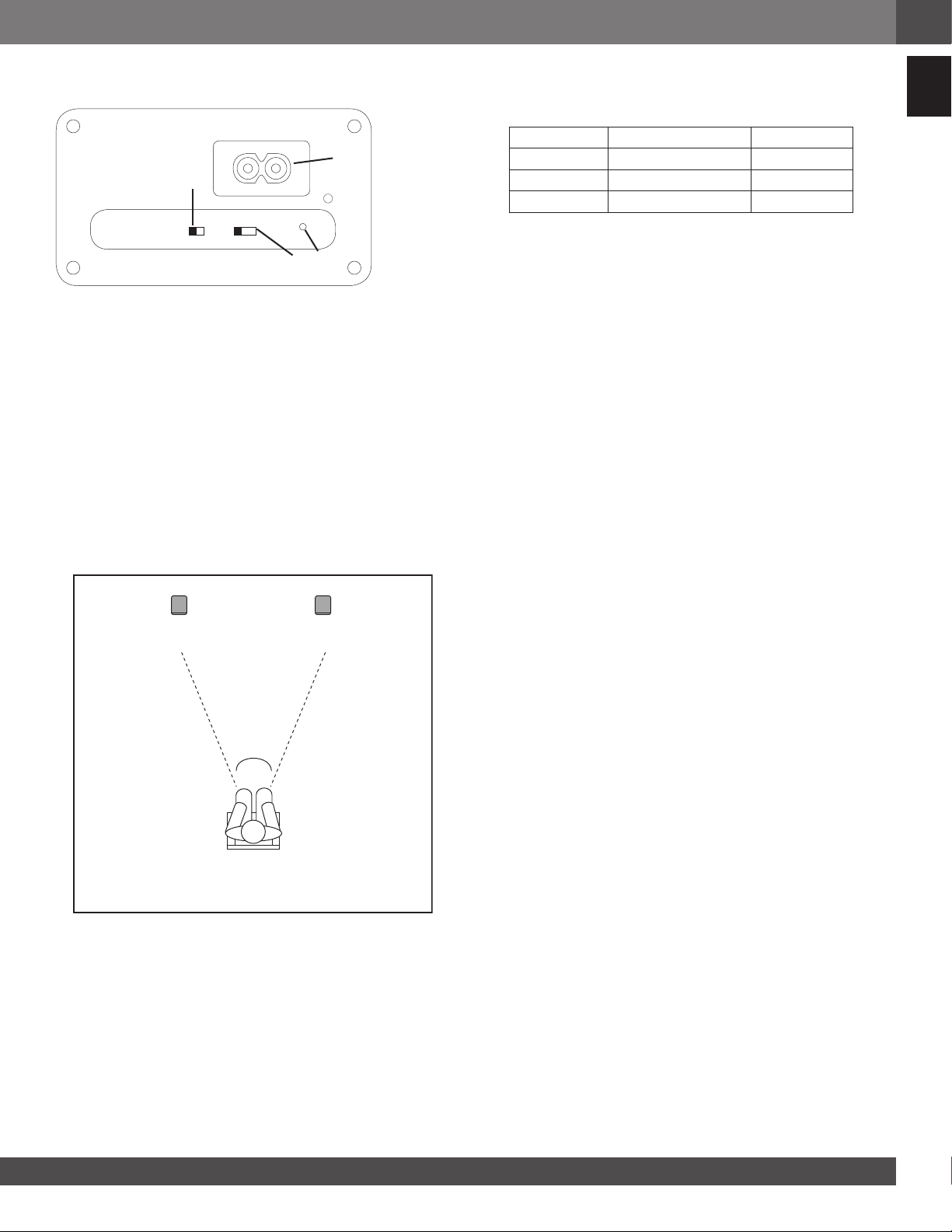
SECONDARY SPEAKER
AC IN
L/R/L+R
WALL/OTHER
1
2
3
4
1. AC input connector
2. Boundary compensation switch
a. Wall: Speaker equalization optimized for wall mounting.
b. Other: Speaker equalization optimized for other placement
conditions
3. Left / Right / Left + Right switch
a. Left: Speaker reproduces left channel information only
b. Right: Speaker reproduces right channel information only
c. Left + Right: Mono configuration speaker reproduces left and
right channels information
4. Association pin hole
PLACING THE SPEAKERS
These speakers can be mounted or placed on a stand, shelf or table.
The following figure shows a possible indoor application. For optimal
performance, do not block the rear port on the back of each speaker.
Left Rear
Channel
Right Rear
Channel
Center Rear
Channel
Left Front
Channel
Right Front
Channel
45
o
QUICK SETUP AND OPERATION
The speaker set is already factory setup to operate as a pair (primary
and secondary).
1. Connect AC power cords to AC-IN plug located at the rear of each
speaker. Keep AC plugged to maintain battery fully charged.
2. Press power button on each speaker(s) to start operation.
3. Press Bluetooth button and pair with streaming device. (Refer to
Listening to Audio from a Bluetooth capable device section below)
4. If desired to use in battery mode, just unplug the AC power. Speaker
and audio will not be interrupted. Reconnect to AC to recharge
battery.
Note: Primary and Secondary speakers’ factory default settings are as
follow
Control / Switch Primary Secondary
Mode (P) N/A
Wall/ Other Other Other
L/R/L+R (L) (R)
Note: When the system is not playing music it will go automatically
into auto standby mode. To reactivate the system, simply start
playing music and the system will resume automatically. A slight
delay may occur before the secondary speaker wakes up as it needs
resynchronization with the primary speaker. During this phase the front
LED of the secondary speaker will be blinking.
Note: If the system is manually powered off using the power button, it
will need to be manually powered on first to resume playing music.
The system also features sound prompt commands for the following
action / operation
1. Power On
2. Power Off
3. Bluetooth pairing mode
4. Bluetooth connection success
5. Association mode (see Speaker association section)
6. Battery low level
LISTENING TO AUDIO FROM A BLUETOOTH-
CAPABLE DEVICE
1. With speaker(s) powered on AC or Battery power, Press Bluetooth
button on primary speaker
2. An audible prompt will indicate that the speaker successfully
entered BT pairing mode. The front LED will also blink Blue as an
indication that BT pairing mode is enabled.
3. Search and pair with “JBL Control X” from your Bluetooth streaming
device.
4. An audible confirmation will be played once the streaming device
successfully paired with the speaker. The front LED will stop blinking
and remain Blue. Secondary speaker will confirm Bluetooth pairing
by flashing front panel LED Blue for a few seconds.
Note: Only one Bluetooth device can be paired at the same time with
the system. If you need to un-pair the current Bluetooth device to
connect a new one simply press and hold the Bluetooth button on the
primary speaker for more than 2 seconds to disconnect current device.
Then resume the pairing process above from step 2.
LISTENING TO AUDIO FROM AUX-IN
Bluetooth operation has priority over Aux-In input. If you want to
use the auxiliary in input, any paired Bluetooth device need to be
disconnected or unpaired from JBL control X Wireless by pressing
and holding the Bluetooth button for more than 2 seconds or by
disconnecting it from your Bluetooth streaming device.
1. With speaker(s) powered on AC or Battery power, connect a 3.5mm
audio cable from the audio source to the AUX-IN on the primary speaker.
SPEAKER ASSOCIATION
JBL Control X Wireless speakers are factory associated to each other. In case
of association problems were the secondary speaker is not playing music,
please follow association steps on detailed section below to x the issue. Only
one secondary speaker can be associated at the time with a primary speaker.
1. With both primary and secondary speaker(s) powered on AC or Battery
power, use a paper clip to press the association button on the back of the
secondary speaker. The front LED will ash white indicating association
mode is active
Lataa käyttöohje suomalainen (PDF, 5.21 MB)
(Mieti ympäristöä ja tulosta tämä käyttöopas vain, jos se on todella tarpeen)

Loading…

Arviointi

Kerro meille mielipiteesi JBL Control X Wireless Kaiutin arvioimalla tuote. Haluatko jakaa tuotekokemuksesi tai kysyä kysymyksen? Jätä kommentti sivun alalaidassa.
Oletko tyytyväinen kohteeseen JBL Control X Wireless Kaiutin?
Kyllä Ei
60%
40%
5 äänet

Keskustele tuotteesta

Täällä voit jakaa mielipiteesi JBL Control X Wireless Kaiutin:sta. Jos sinulla on kysyttävää, lue ensin huolellisesti käyttöohje. Käsikirjaa voi pyytää yhteydenottolomakkeellamme.

Fabrizio De Matteis 14-02-2024
Hyvää huomenta En löydä manuaalia JBL Mod.Control 2:4g:lleni italiaksi. Ystävällisyydestä voisin saada ne takaisin. Sähköposti [email protected] Kiitos De Matteis Fabrizio. Via Fossato Serralta 11 00118 Rooma

vastaa | Tästä oli apual (1) (Googlen kääntämä)

Lisää tästä ohjekirjasta

Ymmärrämme, että on mukavaa, että sinulla on paperikäyttöinen käyttöopas laitteellesi JBL Control X Wireless Kaiutin. Voit aina ladata oppaan verkkosivuiltamme ja tulostaa sen itse. Jos haluat alkuperäisen käyttöoppaan, suosittelemme ottamaan yhteyttä osoitteeseen JBL. He saattavat pystyä toimittamaan alkuperäisen ohjekirjan. Etsitkö laitteen JBL Control X Wireless Kaiutin käyttöopasta toisella kielellä? Valitse haluamasi kieli kotisivuiltamme ja etsi mallinumero nähdäksesi, onko sitä saatavilla.

Tekniset tiedot

Tuotemerkki JBL
Malli Control X Wireless
Kategoria Kaiuttimet
Tiedostotyyppi PDF
Tiedoston koko 5.21 MB

Kaikki käsikirjat kohteelle JBL Kaiuttimet
Lisää Kaiuttimet käsikirjoja

Usein kysytyt kysymykset kohteesta JBL Control X Wireless Kaiutin

Tukitiimimme etsii hyödyllisiä tuotetietoja ja vastaa yleisiin kysymyksiin. Jos huomaat yleisissä kysymyksissä virheen, kerro siitä meille yhteydenottolomakkeella.

Haluan liittää kaiuttimen televisioon HDMI: llä, mitä porttia minun pitäisi käyttää? Todennettu

Sinun on käytettävä HDMI-ARC-porttia, joka on tarkoitettu erityisesti äänilaitteiden liittämiseen.

Tästä oli apual (1482) Lue lisää

Mitä taajuus kertoo kaiuttimestani? Todennettu

Se osoittaa kaiuttimen taajuusalueen. Suurempi taajuusalue tarjoaa enemmän variaatiota ja paremman äänenlaadun.

Tästä oli apual (792) Lue lisää

Milloin musiikkini soi liian kovaa? Todennettu

Yli 80 desibelin (dB) äänet voivat alkaa vaurioittaa kuuloa. Yli 120 dB:n äänet vaurioittavat kuuloa välittömästi. Vaurion vakavuus riippuu siitä, kuinka usein ja kuinka pitkään ääni kuullaan.

Tästä oli apual (474) Lue lisää

Toimiiko bluetooth seinien ja kattojen läpi? Todennettu

Bluetooth-signaali toimii seinien ja katon läpi, elleivät ne ole valmistettu metallista. Seinän paksuudesta ja materiaalista riippuen signaali voi menettää voimaa.

Tästä oli apual (234) Lue lisää

Mihin melutasoon asti se on turvallista lapsille? Todennettu

Lapset kärsivät kuulostaan ​​nopeammin kuin aikuiset. Siksi on tärkeää, ettei koskaan altisteta lapsille yli 85 dB: n melua. Kuulokkeiden tapauksessa on erityisiä lapsille tarkoitettuja malleja. Kaiuttimien tai muiden tilanteiden tapauksessa sinun on oltava valppaana, melu ei ylitä kyseistä tasoa.

Tästä oli apual (211) Lue lisää
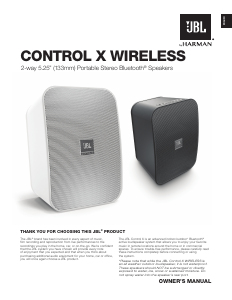

Käyttöohje JBL Control X Wireless Kaiutin

Liittyvät tuotteet

Aiheeseen liittyvät luokat

×
Download