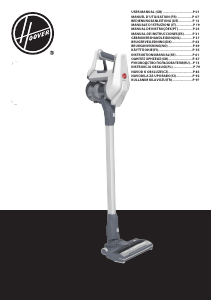
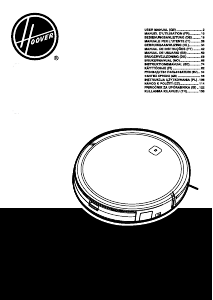
Käyttöohje Hoover RC71_RC11011 Pölynimuri

Tarvitsetko käyttöoppaan Hoover RC71_RC11011 Pölynimuri? Alta voit katsoa ja ladata suomenkielisen PDF-oppaan ilmaiseksi. Tällä tuotteella on tällä hetkellä 9 usein kysyttyä kysymystä, 0 kommenttia ja 0 ääntä. Jos tämä ei ole haluamasi käyttöopas, ota meihin yhteyttä.

Onko tuotteessa vika, eikä käyttöoppaasta ole apua? Siirry Repair Café ‑alueelle etsimään ilmaisia korjauspalveluita.

Käyttöohje

Loading…

carpet pile deeper than 15mm. Do not keep the nozzle stationary while brush is rotating.
3
*Certain Models Only ** May vary according to models
IMPORTANT: Do not use the product without the lter pack tted.
Cleaningthedustbin/separationunit
This cleaner uses a separation system unique to Hoover. If necessary the separation unit
can be disassembled from the dust bin and cleaned.
1. Press the dust bin lid release button and remove the dust bin assembly from the
cleaner. [10]
2. Hold the dust bin with one hand and with the other hand press the dust bin lid release
button to open the dust bin lid. [11]
3. Remove the Vortex Finder (Red) from the cyclone body. [12]
4. Remove the cyclone body from the dust bin. [13]
5. If necessary, use a cloth to remove excessive dust from the red vortex nder and the
cyclone body surface.
6. Place the dust bin under the tap. [17] Rinse with lukewarm water. Wash internal
surfaces of the dust bin with water only. DO NOT use soap detergents to wash the
internals of the dust bin.
7. Reassemble the internal component to the dust bin, ensuring all components are dry.
8. Close over the dust bin lid and ret dust bin assembly to cleaner.
Removingablockage
1. Check if the dust bin is full. If so refer to ‘Emptying the dust bin.
2. If the dust bin is empty but suction is still low:
A. Do the lters need cleaning? If so refer to ‘Cleaning the washable lters’.
B. Check if there is any other blockage in the system - Use a rod or pole to remove any
blockage from the extension tube or exible hose.
C. Check if pre-motor lter is tted.
D. Check if the separation unit needs to be cleaned. Refer to ‘Cleaning the separation unit.
CLEANER MAINTENANCE
EmptyingtheDustBin
When the dust reaches the max level indicator in the bin, empty the dust bin.
IMPORTANT: To maintain optimum performance do not allow the dust above the max level
indicator.
1. Turn off the cleaner with the main switch and unplug the power cable.
2. Press the dust bin lid release button and remove the dust bin assembly from the cleaner.
[10]
3. Hold the dust bin with one hand and press the dust bin ap release trigger. [13]
4. Close the dust bin ap and ret to the cleaner main body. [10]
Cleaningthewashablelters
The cleaner is tted with pre-motor lter and exhaust lter. To maintain optimum cleaning
performance, regularly remove the lters and tap against the side of the waste container
to release dust. The lters should be washed every 5 dust container empties or when the
lter has excessive dust level.
IMPORTANT: All bagless cleaners require regular lter cleaning. Failure to clean your
lters may result in air blockage, overheating and product failure. This may invalidate your
guarantee.
IMPORTANT: Regularly check and maintain the lters.
IMPORTANT: Always ensure the lter pack is fully dry before use.
Toaccessthelter:
1. Press the dust bin lid release button and remove the dust bin assembly from the cleaner.
[10]
2. Hold the dust bin with one hand and with the other hand press the dust bin lid release
button to open the bin lid. [11]
3. Remove the pre-motor lter located in the bin lid. [14]
4. Gently tap and wash the pre-motor lter. Do not use hot water or detergents. Remove
excess water from the lter and leave to dry fully before re-using. [17,18]
5. Reassemble the pre-motor lter to the dust bin lid once fully dry and ret to the cleaner.
IMPORTANT: Do not use the product without the lter pack tted.
Toaccesstheexhaustlter:
1. Unlock the exhaust lter door by pressing two buttons and pulling outward from main
cleaner. [15]
2. Remove the lter pack from recess by pulling the ring-pull of exhaust lter. [16]
3. Gently tap and wash the lter unit. Do not use hot water or detergents. Remove excess
water from the lter and leave to dry fully before using. [17,18]
4. Reassemble the Filter pack once it is fully dry and ret to the cleaner by inserting it
back into the location and pushing it fully home. [16]
5. Lock the exhaust lter cover by pressing the edge which has the clips, you will hear a
click once the exhaust lter door ts into place. [15]
GB
USER CHECK LIST
USER CHECKLIST
Should you have a problem with the product, complete this simple user checklist before
calling your local Hoover service.
Is there a working electricity supply to the cleaner? Please check with another electrical
appliance.
Is the dust bin over-lled? Please refer to ‘Cleaner Maintenance’.
Is the lter blocked? Please refer to ‘Cleaner Maintenance’.
Is the hose or nozzle blocked? Please refer to ‘Removing a blockage from the system’.
Has the cleaner overheated? If so, it will take approximately 30 minutes to automatically reset.
Lataa käyttöohje suomalainen (PDF, 1.77 MB)
(Mieti ympäristöä ja tulosta tämä käyttöopas vain, jos se on todella tarpeen)

Loading…

Arviointi

Kerro meille mielipiteesi Hoover RC71_RC11011 Pölynimuri arvioimalla tuote. Haluatko jakaa tuotekokemuksesi tai kysyä kysymyksen? Jätä kommentti sivun alalaidassa.
Oletko tyytyväinen kohteeseen Hoover RC71_RC11011 Pölynimuri?
Kyllä Ei
Arvostele tuote ensimmäisenä
0 äänet

Keskustele tuotteesta

Täällä voit jakaa mielipiteesi Hoover RC71_RC11011 Pölynimuri:sta. Jos sinulla on kysyttävää, lue ensin huolellisesti käyttöohje. Käsikirjaa voi pyytää yhteydenottolomakkeellamme.

Lisää tästä ohjekirjasta

Ymmärrämme, että on mukavaa, että sinulla on paperikäyttöinen käyttöopas laitteellesi Hoover RC71_RC11011 Pölynimuri. Voit aina ladata oppaan verkkosivuiltamme ja tulostaa sen itse. Jos haluat alkuperäisen käyttöoppaan, suosittelemme ottamaan yhteyttä osoitteeseen Hoover. He saattavat pystyä toimittamaan alkuperäisen ohjekirjan. Etsitkö laitteen Hoover RC71_RC11011 Pölynimuri käyttöopasta toisella kielellä? Valitse haluamasi kieli kotisivuiltamme ja etsi mallinumero nähdäksesi, onko sitä saatavilla.

Tekniset tiedot

Tuotemerkki Hoover
Malli RC71_RC11011
Kategoria Pölynimurit
Tiedostotyyppi PDF
Tiedoston koko 1.77 MB

Kaikki käsikirjat kohteelle Hoover Pölynimurit
Lisää Pölynimurit käsikirjoja

Usein kysytyt kysymykset kohteesta Hoover RC71_RC11011 Pölynimuri

Tukitiimimme etsii hyödyllisiä tuotetietoja ja vastaa yleisiin kysymyksiin. Jos huomaat yleisissä kysymyksissä virheen, kerro siitä meille yhteydenottolomakkeella.

Pölynimurini letku on tukossa, mitä voin tehdä? Todennettu

Irrota letku ja tarkasta, onko letku todella tukossa, katsomalla sen sisään. Jos letku on tukossa, voit ottaa pitkän esineen, kuten harjanvarren, ja työntää sen varovasti letkun läpi. Yleensä esineet, jotka tukkivat letkun, lähtevät tällä tavalla pois. Jos tämä ei auta, ota yhteyttä valmistajaan.

Tästä oli apual (1658) Lue lisää

Minkä kokoisia pölypusseja on? Todennettu

On otettava huomioon kaksi kokoa. Ensimmäinen on levyn koko pussin sisäänkäynnin kanssa. Tämä määrittää, sopiiko pölypussi tiettyyn pölynimuriin. Sitten on pussin koko. Tämä ilmoitetaan enimmäkseen litroina ja määrittää, kuinka paljon pölyä pussiin mahtuu.

Tästä oli apual (1202) Lue lisää

Pölynimurin virtajohto ei palaa takaisin laitteeseen, mitä voin tehdä? Todennettu

On mahdollista, että johdossa on kierre tai taite. Rullaa johto kokonaan ulos muutama kerta ja kelaa se takaisin laitteeseen käsien ohjaamana. Jos tämä ei ratkaise ongelmaa, on mahdollista, että johdon kelausmekanismi on rikki. Ota tällöin yhteyttä valmistajaan tai korjauspalveluun.

Tästä oli apual (856) Lue lisää

Kuinka poistan pölyn ja hiukset pölynimurin harjaspäästä? Todennettu

Pölyn ja hiusten poisto pölynimurin harjaspäästä on tehty manuaalisesti. Jos tämä ei mene toivotulla tavalla, jäljellä olevan lian voi poistaa hienolla kampauksella.

Tästä oli apual (752) Lue lisää

Pölynimurini antaa viheltävän äänen, mitä voin tehdä? Todennettu

Tämä ongelma johtuu usein täydestä pölypussista tai suodattimesta tai kun on aukko, joka päästää ilman letkuun. Tarkista pölypussi ja suodatin ja vaihda ne tarvittaessa. Tarkista, ettei letkussa ole reikiä tai vikoja. Jos tämä ei ratkaise ongelmaa, ota yhteyttä valmistajaan.

Tästä oli apual (725) Lue lisää

Mitä asetuksia pölynimurin harjaspäässä minun pitäisi käyttää? Todennettu

Lähes kaikissa pölynimureissa on pää, jossa on säädettävä harja. Käytä harjaa koville pinnoille naarmujen ja vaurioiden estämiseksi. Sammuta harja matot.

Tästä oli apual (572) Lue lisää

Voinko käyttää paperipölypussia useammin kuin kerran? Todennettu

Tämä ei ole suositeltavaa. Pussin vesihuokoset kyllästyvät aiheuttaen menetyksiä imussa ja mahdollisesti vahingoittamalla moottoria.

Tästä oli apual (376) Lue lisää

Mikä on HEPA? Todennettu

HEPA tarkoittaa korkean hyötysuhteen hiukkasilmaa. Monissa pölynimureissa on HEPA-suodatin. HEPA-suodatin pysäyttää vähintään 85% ja enintään 99,999995% kaikista 0,3 mikrometrin (µm) tai sitä suuremmista hiukkasista.

Tästä oli apual (366) Lue lisää

Voinko käyttää tavallista pölynimuria imemään tuhkaa? Todennettu

Ei, se ei ole ehdottomasti mahdollista. Tuhka, joka näyttää jäähtyneeltä, voi silti olla lämmin tai jopa kuuma sisällä. Tavallista pölynimuria ei ole tarkoitettu tähän ja se voi aiheuttaa tulipalon. Tavallisten pölynimureiden suodattimet eivät myöskään aina sovi pidättämään erittäin pieniä hiukkasia, kuten tuhkaa. Sitten se voi päästä pölynimurin moottoriin ja vahingoittaa.

Tästä oli apual (366) Lue lisää

Käyttöohje Hoover RC71_RC11011 Pölynimuri

Liittyvät tuotteet

Aiheeseen liittyvät luokat

×
Download