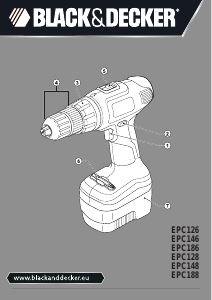
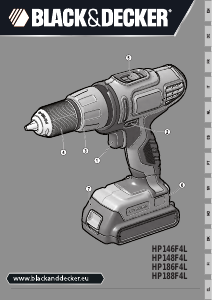
Käyttöohje Black and Decker HP144F4L Porakone-ruuvinväännin

Tarvitsetko käyttöoppaan Black and Decker HP144F4L Porakone-ruuvinväännin? Alta voit katsoa ja ladata suomenkielisen PDF-oppaan ilmaiseksi. Tällä tuotteella on tällä hetkellä 3 usein kysyttyä kysymystä, 0 kommenttia ja 0 ääntä. Jos tämä ei ole haluamasi käyttöopas, ota meihin yhteyttä.

Onko tuotteessa vika, eikä käyttöoppaasta ole apua? Siirry Repair Café ‑alueelle etsimään ilmaisia korjauspalveluita.

Käyttöohje

Loading…

6
ENGLISH
(Original instructions)
This tool is supplied with a double-ended screwdriver bit in the
bit holder (6).
u To remove the screwdriver bit from the bit holder, lift the bit
from the recess.
u To store the screwdriver bit, rmly push it into the holder.
Use
Warning! Let the tool work at its own pace. Do not overload.
Warning! Before drilling into walls, oors or ceilings, check for
the location of wiring and pipes.
Charging the battery (g. A)
The battery needs to be charged before rst use and
whenever it fails to produce sufcient power on jobs that were
easily done before. The battery may become warm while
charging; this is normal and does not indicate a problem.
Warning! Do not charge the battery at ambient temperatures
below 10 °C or above 40 °C. Recommended charging
temperature: approx. 24 °C.
Note: The charger will not charge a battery if the cell
temperature is below approximately 0 °C or above 40 °C.
The battery should be left in the charger and the charger
will begin to charge automatically when the cell
temperature warms up or cools down.
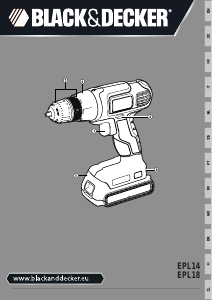
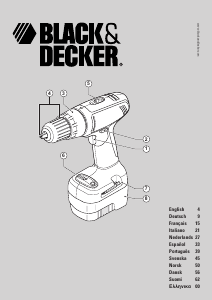
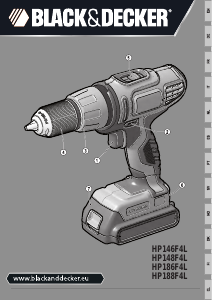
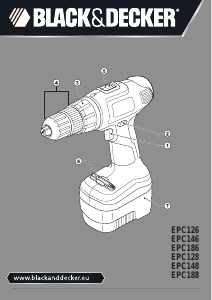
u To charge the battery (7), insert it into the charger (8). The
battery will only t into the charger in one way. Do not
force. Be sure that the battery is fully seated in the
charger.
u Plug in the charger and switch on at the mains.
The charging indicator (9) will ash green (slowly).
The charge is complete when the charging indicator (9) lights
green continuously. The charger and the battery can be left
connected indenitely with the LED illuminated. The LED will
change to ashing green (charging) state as the charger
occasionally tops up the battery charge. The charging
indicator (9) will be lit as long as the battery is connected to
the plugged-in charger.
u Charge discharged batteries within 1 week. Battery life will
be greatly diminished if stored in a discharged state.
Leaving the battery in the charger
The charger and battery pack can be left connected with the
LED glowing indenitely. The charger will keep the battery
pack fresh and fully charged.
Charger diagnostics
If the charger detects a weak or damaged battery, the
charging indicator (9) will ash red at a fast rate. Proceed as
follows:
u Re-insert the battery (7).
u If the charging indicators continues ashing red at a fast
rate, use a different battery to determine if the charging
process works properly.
u If the replaced battery charges correctly, the original
battery is defective and should be returned to a service
centre for recycling.
u If the new battery gives the same indication as the original
battery, take the charger to be tested at an authorised
services centre.
Note: It may take as long as 60 minutes to determine that
the battery is defective. If the battery is too hot or too
cold, the LED will alternately blink red, fast and slow, one
ash at each speed and repeat.
Selecting the direction of rotation (g. C)
For drilling and for tightening screws, use forward (clockwise)
rotation. For loosening screws or removing a jammed drill bit,
use reverse (counterclockwise) rotation.
u To select forward rotation, push the forward/reverse slider
(2) to the left.
u To select reverse rotation, push the forward/reverse slider
to the right.
u To lock the tool, set the forward/reverse slider into the
centre position.
Selecting the operating mode or torque (g. D)
This tool is tted with a collar to select the operating mode and
to set the torque for tightening screws. Large screws and hard
workpiece materials require a higher torque setting than small
screws and soft workpiece materials. The collar has a wide
range of settings to suit your application.
u For drilling in wood, metal and plastics, set the collar (3) to
the drilling position by aligning the symbol with the
marking (11).
u For screwdriving, set the collar to the desired setting.
If you do not yet know the appropriate setting, proceed as
follows:
- Set the collar (3) to the lowest torque setting.
- Tighten the rst screw.
- If the clutch ratchets before the desired result is
achieved, increase the collar setting and continue
tightening the screw. Repeat until you reach the correct
setting. Use this setting for the remaining screws.
Lataa käyttöohje suomalainen (PDF, 3.84 MB)
(Mieti ympäristöä ja tulosta tämä käyttöopas vain, jos se on todella tarpeen)

Loading…

Arviointi

Kerro meille mielipiteesi Black and Decker HP144F4L Porakone-ruuvinväännin arvioimalla tuote. Haluatko jakaa tuotekokemuksesi tai kysyä kysymyksen? Jätä kommentti sivun alalaidassa.
Oletko tyytyväinen kohteeseen Black and Decker HP144F4L Porakone-ruuvinväännin?
Kyllä Ei
Arvostele tuote ensimmäisenä
0 äänet

Keskustele tuotteesta

Täällä voit jakaa mielipiteesi Black and Decker HP144F4L Porakone-ruuvinväännin:sta. Jos sinulla on kysyttävää, lue ensin huolellisesti käyttöohje. Käsikirjaa voi pyytää yhteydenottolomakkeellamme.

Lisää tästä ohjekirjasta

Ymmärrämme, että on mukavaa, että sinulla on paperikäyttöinen käyttöopas laitteellesi Black and Decker HP144F4L Porakone-ruuvinväännin. Voit aina ladata oppaan verkkosivuiltamme ja tulostaa sen itse. Jos haluat alkuperäisen käyttöoppaan, suosittelemme ottamaan yhteyttä osoitteeseen Black and Decker. He saattavat pystyä toimittamaan alkuperäisen ohjekirjan. Etsitkö laitteen Black and Decker HP144F4L Porakone-ruuvinväännin käyttöopasta toisella kielellä? Valitse haluamasi kieli kotisivuiltamme ja etsi mallinumero nähdäksesi, onko sitä saatavilla.

Tekniset tiedot

Tuotemerkki Black and Decker
Malli HP144F4L
Kategoria Porakone-ruuvinvääntimet
Tiedostotyyppi PDF
Tiedoston koko 3.84 MB

Kaikki käsikirjat kohteelle Black and Decker Porakone-ruuvinvääntimet
Lisää Porakone-ruuvinvääntimet käsikirjoja

Usein kysytyt kysymykset kohteesta Black and Decker HP144F4L Porakone-ruuvinväännin

Tukitiimimme etsii hyödyllisiä tuotetietoja ja vastaa yleisiin kysymyksiin. Jos huomaat yleisissä kysymyksissä virheen, kerro siitä meille yhteydenottolomakkeella.

Irrotan ruuvin pään käytettäessä porakoneita. Miksi niin? Todennettu

Useimmat porakoneet voidaan asettaa kiertämään kovemmin tai pehmeämmin. Jos päätä irrotetaan jatkuvasti, porakone on todennäköisesti asetettava eri asetukseen. Kun kyseessä on langaton laite, varmista aina, että akku on ladattu parhaan tuloksen saavuttamiseksi.

Tästä oli apual (96) Lue lisää

Pitääkö minun käyttää kuulosuojaimia käytettäessä poraa? Todennettu

Kyllä sinun pitäisi. Vaikka poran tuottama melun määrä voi vaihdella merkkien ja mallien välillä, pitkäaikainen altistuminen kovalle melulle voi aiheuttaa pysyviä kuulovaurioita. Siksi on hyvä käyttää kuulosuojaimia.

Tästä oli apual (37) Lue lisää

Voinko säilyttää sähkötyökaluja vajassa tai autotallissa? Todennettu

Yleensä sähkötyökaluja voi säilyttää vajassa tai autotallissa, vaikka se joskus jäätyy siellä. Sähkötyökalun käyttöiän kannalta on kuitenkin parempi säilyttää se kuivassa paikassa ilman suuria lämpötilanvaihteluita. Aitassa tai autotallissa lämpötilaerot voivat aiheuttaa kondenssiveden muodostumista, joka voi aiheuttaa ruostetta. Lisäksi paristoilla toimivat työkalut kestävät lyhyemmin eivätkä lataudu yhtä hyvin hyvin alhaisissa lämpötiloissa. Lue käyttöopas aina huolellisesti, jotta voit olla varma siitä, miten sähkötyökalusi tulee säilyttää.

Tästä oli apual (29) Lue lisää
Käyttöohje Black and Decker HP144F4L Porakone-ruuvinväännin

Liittyvät tuotteet

Aiheeseen liittyvät luokat

×
Download